

In addition to all the features included in Life Editor Standard version, LE-Professional License offers a range of additional professional coach features. In the following, we only describe the special and extra features which you get when purchasing a LE-professional license. If you want to read more about all the standard features which is included in our Life Editor Professional version, please click here
Our LE-Professional version has been developed for both "Group Coaching", "Team Coaching" plus one to one-Coaching ". LE-Professional license gives you the rights to all forms and types of coaching. Life Editor Professional version offers an interactive coaching portal, where you as a professional coach can track your client's developing status. In real time you can monitor your client’s success score and coaching process, follow which specific coaching steps they execute and which they don’t.
Once you have developed a coach program you have the rights to sell your commercial coach programs to your individual clients. As long as your LE-Professional license is valid our LE-Professional platform gives you the opportunity to follow your client's progress. If needed while tracking your client’s success score you can contact your client using our chat, SMS or emails. Whether you coach "One to One", teams, or larger groups your LE-Professional license must be renewed every 3 or 6 months.
You make your own professional coach programs by creating a complete package of all the challenges, tasks or activities you think your client must master and accomplish over a period to achieve the development you and your client have set as goal for the coaching process. Challenges or activities can be created depending on their nature. For example, you can both create practical, emotional or mental challenges to your clients.
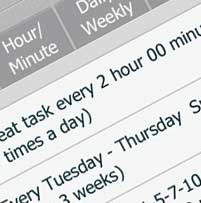
You decide whether the activities and challenges you create must be performed once or whether a repeating pattern should be created, for example. every Monday at a certain time. Many different repeat patterns can be set including daily, weekly, or monthly repetitions. You can also choose an annual repeat pattern.
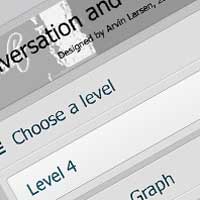
The individual challenges or activities can also be categorized in levels according to how difficult the task is. You can therefore ask the client to start completing your coach program at level 1. When finished at level 1., your client then can complete the program at level 2, etc. your client will receive your tasks or activities through all the text notifications, images, streamed video or audio clips you have created yourself and chosen specific for coaching the client.
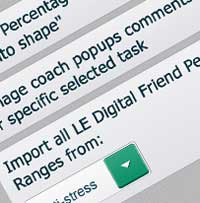
LE-Digital Friend is an extra exciting coaching feature that gives you the option to program and send random motivating notifications with comments to your clients conditional and triggered by their success score percentages. The LE-Professional version offers you to make all the comments you want. The comments appear as popup messages on the client's phone and our technology ensures that your comments are always varied so that the client does not get the same message several times a day. LE-Digital Friend also offer you an option to attach completely specific comments to specific challenges. In this way you can control which comment you want to appear on the client's mobile phone depending on whether the client rejects, postpone or completes a specific coach step.
The LE-Professional Version also has a survey and query tool that allows you to create, send, and receive queries that allow you to measure your client’s satisfaction, happiness and well-being. Ask and be wise on your clients through your client's online feedback. Life Editor gives you both the option to send personal and anonymous surveys and queries.
Once your client has paid you for your professional coach program and have purchased and downloaded their own LE-Standard version, you just create your client as a contact in your LE-Professional version. When you and your client is connected in the Life Editor APP, then you can easily assign the coach programs, success coaches, challenges, surveys or queries you want your client to receive.
As mentioned before your professional license entitles you to sell your own coach programs to your individual clients. Life Editor has a built-in feature, where you can assign your clients to the programs you have developed. Clients' payment for your Life Editor coach programs is a matter between you and your clients only. It is therefore your own responsibility to handle all financial transactions between you and your clients. Our system will record each time you assign a program to a contact. To cover the operating costs associated with servicing of our website, keeping our software updated and paying fees to our data and IT providers, you will be charged a service fee of 2,02 Euro/DKK 15.00 excl. VAT each time you sell / activate a coach program for one of your clients.
You automatically receive a monthly calculation and invoice corresponding to the number of coach programs you have sold with reference to the user-ID of the clients who has bought your programs.
Should our data and IT providers in the future raise the tariffs for their services, we reserve our rights to adjust our services fees.




Are you sure you want to cancel? After your subscription expires, you will no longer be able to assign programs to other users.
You can change your subscription only from the same plateform (iOS/Android/Web) where you created the subscription.
The subscription is created from .

{{singlemessage.program_type}} "{{ singlemessage.program_name }}" Designed by {{ singlemessage.other_user_name }}, Date ({{ singlemessage.date_day }})
Task "{{ singlemessage.task_name }}" registered as "done".

{{ singlemessage.leDetail }}
{{singlemessage.program_type}} "{{singlemessage.program_name}}" Designed by {{singlemessage.other_user_name}}, Date ({{singlemessage.date_day}})
Task "{{singlemessage.task_name}}" registered as "rejected".

{{ singlemessage.leDetail }}
{{singlemessage.program_type}} "{{singlemessage.program_name}}" Designed by {{singlemessage.other_user_name}}, Date ({{singlemessage.date_day}})
Task "{{singlemessage.task_name}}" registered as "defer".

{{ singlemessage.leDetail }}